
Tech After 60 in April
Discover simple ways to use technology after 60 to stay organized, reduce stress, support healthy habits, and make everyday life feel lighter this April.

Tech After 60 in April: Simple Ways to Use Technology to Make Life Feel Lighter
April always feels like a reset month.
The season shifts. The light changes. The air feels different. And for a lot of us, it brings that natural urge to clear things out, freshen things up, and make life feel a little lighter again.
Most people think about that in terms of the house, the closet, the kitchen, or maybe even their health habits.
But this month, I want to talk about something else that deserves a spring reset too.
Your relationship with technology.
If you are over 60, technology can either feel like one more thing demanding your attention, or it can become a tool that makes life easier, calmer, more organized, and more connected.
That difference matters.
Because at this stage of life, most of us are not looking for more noise. We are looking for better support.
April is a great month to clean up the way technology fits into your life and start using it more intentionally.
Not to become more attached to devices.
Not to spend more time online.
Not to chase every new app or trend.
But to make technology work for you in practical ways that support how you want to live.

Technology Should Support Real Life, Not Take It Over
This is where a lot of people get turned off.
They think using more technology means more complication, more passwords, more updates, more platforms, and more frustration.
And honestly, sometimes that is true.
A lot of tech is not built with simplicity in mind.
But when you strip away the noise, technology can do some very useful things for people living beyond 60.
It can help you:
- stay organized
- remember important tasks
- simplify planning
- reduce mental clutter
- stay connected to people you care about
- learn new things
- create more freedom in your day
- support your creativity
- make everyday life a little easier
That is the kind of tech I care about.
Not flashy tech.
Useful tech.
April Is a Good Month for a Digital Reset
Just like it helps to reset your food habits and daily routines in April, it also helps to reset your digital habits.
Ask yourself a few honest questions:
- Is my phone helping me, or distracting me?
- Are my apps useful, or are they just there?
- Is my inbox full of clutter?
- Am I wasting too much time bouncing between platforms?
- Are there tools I could be using to make life easier that I keep avoiding because they feel overwhelming?
- Is my technology setup supporting peace, or adding more noise?
That is where your April reset can begin.
Not with more.
With better.
1. Use Technology to Reduce Mental Clutter
One of the best reasons to use technology after 60 is to stop trying to hold everything in your head.
That gets exhausting.
You do not need to remember every appointment, every idea, every task, every note, every follow-up, and every random thing you wanted to look up later.
That is not a badge of honor. That is mental clutter.
Technology can help by becoming your external support system.
Simple ways to use it:
- keep notes in one main notes app
- use calendar reminders for important appointments
- create a simple running task list
- set alarms for recurring things you tend to forget
- save important links in one place instead of hunting for them later
This is not about becoming overly digital.
It is about giving your brain less to carry.
2. Let Tech Help You Stay Consistent
Consistency gets easier when life has support built into it.
And this is one place where simple technology can really help.
If you are trying to build better habits this spring, tech can help you create more follow-through with less friction.
That might look like:
- setting a reminder to go for your walk
- keeping a short checklist for your morning routine
- using a timer to stay focused while working on a project
- tracking your progress in a simple note
- saving favorite meals, routines, or repeated tasks so you do not have to recreate them every time
The point is not to turn your life into a productivity system.
The point is to make good habits easier to repeat.
That matters after 60 because energy becomes more valuable, attention becomes more valuable, and time definitely becomes more valuable.
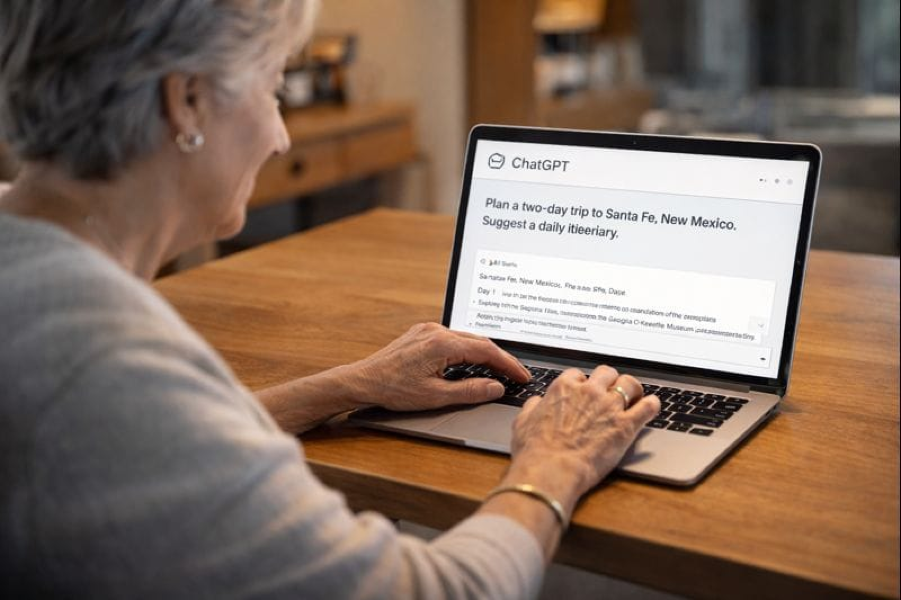
3. Use AI as a Practical Life Tool
This is one of the biggest shifts happening right now, and a lot of people over 60 are still unsure what to do with it.
AI can sound intimidating.
But when you strip away the hype, it can be incredibly useful for everyday life.
It can help you:
- organize your thoughts
- draft emails
- simplify complicated information
- brainstorm ideas
- plan meals
- create checklists
- outline projects
- rewrite things more clearly
- support content creation
- help you learn new technology faster
That is a big deal.
You do not need to use AI like a tech expert.
You can use it like a support tool.
Think of it less like “advanced technology” and more like a helper that can save you time, reduce confusion, and make tasks feel less overwhelming.
For people over 60, that is not just convenient. It can be empowering.
4. Clean Up the Digital Noise
Not all technology helps.
Some of it just drains your attention.
That is why April is a good time to clean up the digital clutter too.
A few smart things to do this month:
- delete apps you never use
- unsubscribe from emails you no longer want
- move distracting apps off your home screen
- turn off notifications you do not need
- organize your phone into a cleaner layout
- remove digital habits that leave you feeling worse instead of better
This is one of the simplest ways to protect your peace.
Because too much digital noise creates the same kind of heaviness as physical clutter.
Maybe worse.
When your phone, inbox, and online space feel chaotic, your mind often feels that way too.
Less noise matters.
5. Use Technology to Support Creativity and Learning
Living well after 60 is not just about staying organized.
It is also about staying engaged.
Technology can help with that too.
You can use it to:
- learn a new skill
- watch helpful tutorials
- create content
- write more easily
- edit photos
- make videos
- share your work
- connect with communities
- explore new ideas
- keep growing
That matters because thriving is not just about maintenance.
It is also about expansion.
It is about staying curious, creative, and connected to possibility.
Technology can absolutely support that when you use it with intention.
6. Keep It Simple Enough to Use
This is the most important part.
Do not build a technology system that looks good in theory but is too annoying to maintain.
That is a waste of time.
Use the tools that make life easier, not harder.
That might mean:
- one calendar
- one note app
- one task list
- one AI assistant you trust
- one place to save your ideas
- one simple system you can actually stick with
Simple wins.
If your tech setup is too scattered, too complicated, or too hard to remember, you will stop using it.
And then it is not supporting your life at all.

My April Tech Reminder After 60
You do not have to keep up with everything.
You do not need every app.
You do not need every tool.
You do not need to prove that you are “good at tech.”
You just need to use technology in ways that support the life you actually want.
That is enough.
For me, that means using technology to reduce friction, support creativity, stay organized, and make healthy, practical living easier.
That is the role I want tech to play in my life.
Not more noise.
More support.
A Simple April Tech Reset to Try This Week
If you want a practical place to start, try this:
- delete 5 apps you do not use
- unsubscribe from 10 emails you do not want
- choose one digital tool to organize your notes or tasks
- set one reminder that supports a real habit
- try AI for one everyday task this week
- clean up one digital space that feels cluttered
That is enough to start feeling a difference.
Final Thought
Technology after 60 should not feel like pressure.
It should feel like support.
April is a good month to reset the way you use it so it feels more useful, more intentional, and more aligned with the kind of life you want to build.
Lighter.
Clearer.
Calmer.
Smarter.
More supported.
That is how we use technology well.
And that is one more way to thrive beyond 60.
What is one piece of technology that has actually made your life easier lately?
Disclaimer:
This content is for informational purposes only and is not medical advice. Always consult your healthcare provider before making changes to your diet, supplements, or lifestyle, especially if you have existing conditions or take medication.
💌Want plant-based tips each week
Join the Plant Based Flex newsletter. It’s free, and when you confirm your email I’ll send you a 7-Day Kickstart Wellness Bundle to help you thrive beyond 60.